The Booqable Playbook

How to start an AV rental business

From choosing your first speakers to taking your first paid booking. Start with a focused offer, price your time properly, and build a business customers can rely on.

The opportunity

Start with a useful service, not a warehouse of equipment

Businesses need clear presentations. Venues need dependable sound. Local organisers need microphones that work when the first speaker steps up. An audiovisual (AV) rental business supplies that equipment, often with the delivery, setup, and support needed to make it work.

You do not need to compete with large production companies from day one. A small operator can build a useful business around meetings, ceremonies, training sessions, or modest live events. The important question is not how much equipment you can buy. It is which customers you can serve well, repeatedly.

Find your focus

Choose your customers before choosing your equipment

“AV for any event” is difficult to buy for and difficult to explain. Start with customers you can actually reach. Speak to local venues, organisers, and businesses about what they hire, what they struggle with, and whether they want equipment only or someone to run it.

  • Corporate meetings and training
    Think presentations, workshops, and internal events. Clear speech, straightforward laptop connections, punctual setup, and tidy equipment matter. Local companies and meeting venues can become repeat customers.
  • Weddings and community events
    Ceremonies, speeches, and announcements often need a simple sound package. Ask who will operate it, whether the event is indoors or outdoors, and how equipment will move between different parts of the day.
  • Small live performances
    A sensible niche if you already understand live sound. Requirements vary by performer and venue, so agree the setup and support before quoting. Start with events you can confidently deliver rather than buying for a festival you have not booked.

Do a little local research before spending. Compare like-for-like offers, including accessories, rental length, delivery, and technical support. A gap in service is often more useful than a gap in equipment: customers may already be able to rent speakers, but struggle to get a reliable setup at their venue.

Define the offer

Decide how much of the event you will handle

Equipment rental and event production are different businesses, even when they use the same speakers. Be clear about which one you are selling. Your choice affects pricing, staffing, insurance, and how many bookings you can accept.

  1. 01

    Equipment only: dry hire

    The customer collects, operates, and returns the equipment. It can keep delivery costs down, but needs a clear handover, sensible customer checks, and packages people can use safely. Explain the connections and test the system with them before it leaves.

  2. 02

    Delivery and setup

    You bring the equipment, install it, test it, and collect it later. Define whether you leave after handover or stay on call. Allow for loading, parking, access, setup, collection, and the time needed to check everything on return.

  3. 03

    Staffed events

    You supply an operator or crew as well as equipment. Quote the working hours, travel, soundcheck, and pack-down separately. Make a plan for illness or equipment failure, and do not accept simultaneous events that rely on the same person.

What to buy

Buy a complete system you can use with confidence

A speaker without a stand, a display without the right connection, or a microphone without a working cable is not a ready-to-rent product. Budget for everything needed to deliver the result, including cases and a few useful spares.

These are example starting offers, not a shopping list to buy all at once. Choose one based on your customers and experience. Stick to equipment you can test together, get serviced locally, and replace or supplement through a trusted rental partner.

Starter offer 01

Speech and announcements

Local meetings, ceremonies, training sessions, and community events.

  • Two powered speakers and suitable stands
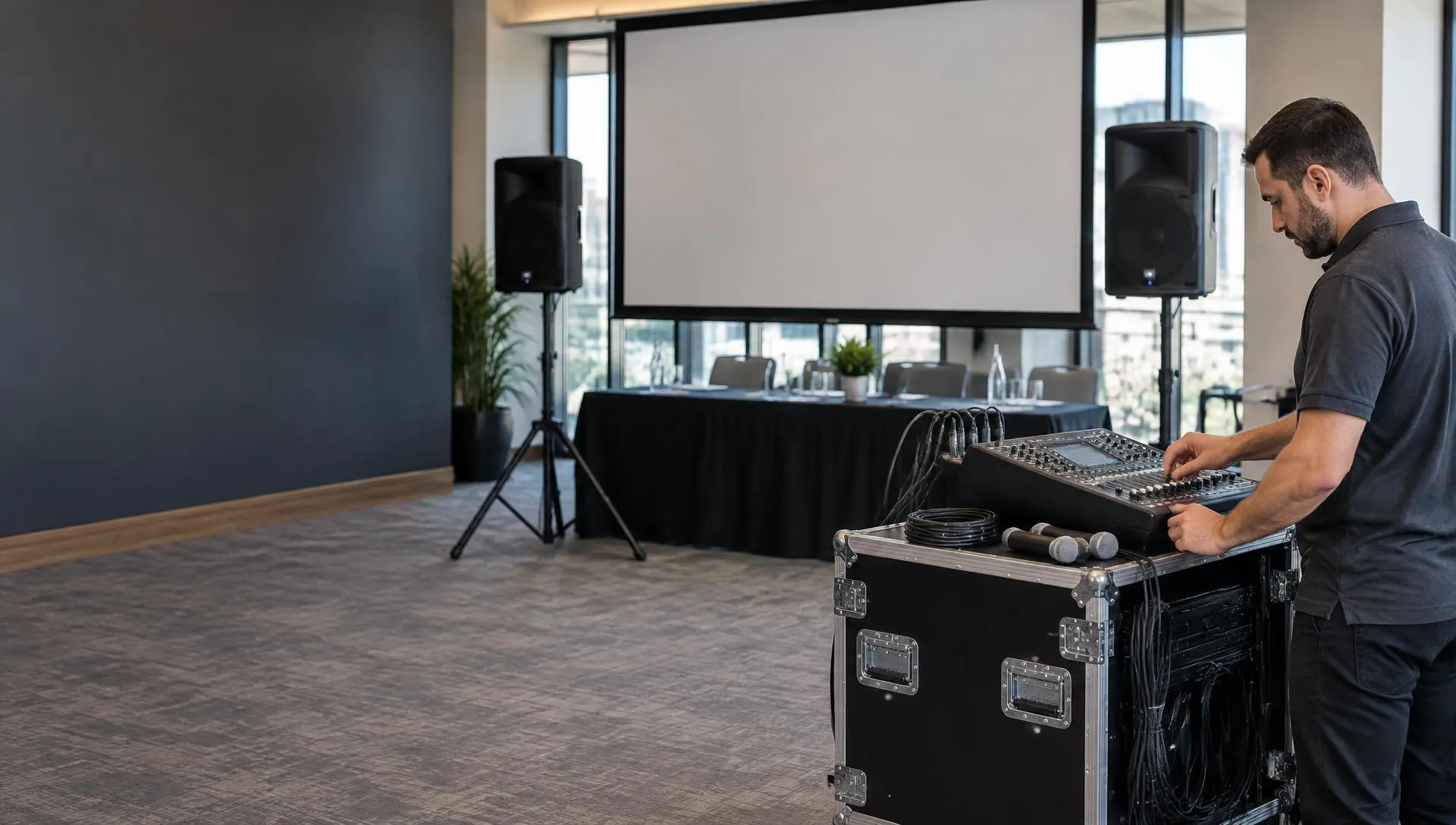
  • A compact mixer and two wired microphones
  • Microphone stands, playback connections, and all signal and power cables
  • Protective cases, cable covers, and a known-good spare microphone and cable

A focused first purchase: clear speech is a common need, and you can practise the same setup until preparation and handover become routine.

Before you book: Confirm the room, audience, and intended use. A small speech system is not automatically suitable for a band or a large outdoor event.

Starter offer 02

Presentations and training

Business presentations, workshops, association meetings, and temporary training rooms.

  • A display with a suitable transport case and rated stand, or a projector with a matching screen
  • Tested HDMI cables, supported laptop adapters, and a presentation remote
  • A sound package when the presentation includes speech or video audio
  • A packing list and straightforward connection instructions

A natural next step if meeting customers keep asking for visuals. Rent the display or projector from a partner before buying one that may not suit your local venues.

Before you book: Check room brightness, viewing distance, placement, and the customer's laptop. Do not promise that any projector will work in any room.

Starter offer 03

Small live performances

Acoustic acts, small venue performances, and local events within your technical experience.

  • A sound system selected for the venue and programme
  • A mixer with enough inputs for the agreed performers
  • The required microphones, stands, instrument connections, and stage monitors
  • Cabling, cases, appropriate spares, and a soundcheck plan

A good starting point if you already work with performers. Sell a defined service for a known setup, rather than promising to handle any act that arrives.

Before you book: Ask for the performer's equipment requirements before quoting. Larger sound systems, complex wireless setups, and overhead rigging need specialist support.

Used equipment can reduce the initial spend, but inspect it and test every function before buying. Check the condition of connectors, cables, cases, and batteries, and whether replacement parts and servicing are still available. A low purchase price is not much help if the equipment cannot be rented reliably.

Plan the investment

Leave room in the budget for more than speakers

Build your startup budget from supplier quotes and the offer you have chosen. Include protection, transport, storage, insurance, and working cash. Spending everything on equipment leaves you unable to fix it, deliver it, or cover a quiet month.

Example: a small speech-focused launch
Core sound equipment Speakers, mixer, microphones, and stands $3,600
Cables, accessories, and spares Complete connections, cable protection, and backups $900
Cases and handling equipment Protection in storage and during transport $1,000
Business setup and initial insurance Replace this allowance with local quotes $600
Website, booking tools, and launch materials An initial allowance, not an annual total $400
Working cash reserve Repairs, quiet weeks, and unexpected expenses $1,000
Total $7,500

An illustrative UK budget using net amounts, excluding recoverable VAT. These are planning allowances, not supplier quotes or an industry average. Existing suitable storage and transport assumed. No vehicle purchase, premises deposit, projector, or ongoing salary is included.

Then make a separate monthly budget for storage, insurance, subscriptions, vehicle costs, debt payments, and your own income. Check how much tax cash you need at purchase, even if it can later be reclaimed. If transport or premises need investment, get those quotes before deciding how much equipment you can afford.

Make the numbers work

Price the whole job, not just the time equipment is out

Your rental rate needs to help recover the purchase cost and cover maintenance, replacement, and overhead. Delivery and technical work need to pay for your time too. Count preparation, loading, travel, installation, handover, collection, and return checks, not only the hours visible to the customer.

Use local competitors to understand the market, but compare equivalent services. A collection-only speaker hire is not the same offer as a delivered sound package with a technician. Set a minimum job charge if a small rental otherwise consumes more time than it pays for.

Worked example / Delivered speech package

A $130 equipment booking can be a $290 job

Equipment rental $130
Preparation, travel, setup, and collection 4 hours at a $30 service rate $120
Transport charge $40
Customer total, before VAT $290

Illustrative rates, not a recommended price for every market. The total is revenue, not profit: wages, travel costs, equipment costs, fees, and overhead still need to come out of it.

Agree how extra operating hours, late-night collection, stairs, long carries, and changes to the event schedule will be charged. After each job, compare the quoted time with what you actually spent. If a “quick setup” regularly takes twice as long, change the quote rather than absorbing it forever.

For equipment rates, duration rules, crew charges, and job margins, see how to price AV rentals. The general rental inventory pricing playbook covers other equipment categories too.

Set expectations

Put the equipment, schedule, and responsibilities in writing

A good AV agreement is about more than a list of products. It confirms what will happen at the event, who will operate the system, and what the customer needs to provide. Have your terms reviewed for the location and type of work you do.

  1. 01

    Equipment and rental period

    List equipment, quantities, included accessories, collection or delivery times, and the return deadline. State any rules for substitutions and what happens if something is missing, damaged, or returned late.

  2. 02

    Venue and event requirements

    Confirm access, parking, stairs or lifts, suitable power, setup space, outdoor exposure, and the event schedule. Name the on-site contact and define who is responsible for operation after handover.

  3. 03

    Payments, changes, and cancellation

    Explain payment timing, any security deposit, cancellation or rescheduling terms, and the process for reporting a fault. State how extra equipment or changes to the original scope are approved and charged.

  4. 04

    Crew and technical support

    For staffed events, include call times, soundcheck, operating hours, pack-down, breaks, and overtime arrangements. Specify whether support is remote, on-site, or limited to a stated service window.

Keep a record of acceptance and the agreed version. If you use Booqable, you can request an electronic signature on a quote or agreement from the back-office. E-signatures are not part of the online checkout, so plan that step separately when it is needed.

Keep equipment ready

Build a repeatable check-out and return routine

Reliability comes from what happens before and after the event. Give valuable items a unique identifier, label cables and cases, and keep a packing list for each package. Record what went out and its condition, including accessories that are easy to miss.

  • Before collection or delivery
    Test the complete system with realistic sources, not just whether each item powers on. Check inputs, cables, microphone handling, playback, and display connections. Pack spares you know work, and agree how the customer can reach you if there is a problem.
  • At handover
    Count the items, demonstrate the setup, and explain safe operation. For delivery, test in the actual room and confirm that the customer's presentation or audio source works. Record the handover and any agreed changes.
  • On return
    Count, inspect, test, clean, and repack before marking equipment ready. Record faults and keep damaged or incomplete items unavailable. Leave enough time between bookings for checks and repairs rather than treating the return deadline as the next dispatch time.

Track shared equipment carefully. If the same speakers appear in a speech package and a presentation package, both offers must draw from the same stock. Reserving a package should reserve its contents, not just its name.

Make it easy to hire

Take instant bookings where the requirements are clear

Not every AV rental needs a custom quote. Standard speaker packages, familiar presentation equipment, and straightforward collection orders can be booked online when customers can see the price and real-time availability.

Publish what each package includes, what it is suitable for, supported connections, collection or delivery arrangements, and what the customer must supply. Real-time availability matters most when several offers share the same equipment: customers need dates they can actually book, not a catalogue followed by an apology.

Instant booking

Best for standard packages with predictable pricing, clear requirements, and a manageable handover. Configure rental duration, stock, and preparation time before putting them online.

Quote request

Best when the venue, performers, crew, delivery, or custom production needs discussion. Ask for the date, location, audience, schedule, and intended use so you can recommend the right setup.

Booqable can bring your rental inventory, availability, online bookings, quotes, and payments together. Keep the wider event plan alongside those records. Crew calls, technical drawings, and detailed production schedules may still need a separate process; a confirmed equipment booking is not a complete production plan.

Build local demand

Make your first offer specific and easy to recommend

A venue manager is more likely to remember “reliable sound for meetings and speeches” than “we rent everything.” Show your actual equipment, explain your service area, and make the next step obvious: book a standard package or ask for a quote.

  1. 01

    Build relationships with venues and organisers

    Introduce yourself to meeting venues, community spaces, wedding planners, and local businesses that match your offer. Ask what outside suppliers need to know about access and setup. A practical demonstration can be more useful than a long product list.

  2. 02

    Get found for the service you really provide

    Set up an accurate Google Business Profile and clear pages for your packages and service area. Use real setup photos as soon as you have them, and explain what is included in the price. Avoid promising locations or event sizes you cannot support.

  3. 03

    Earn repeat bookings and referrals

    Arrive when agreed, leave a tidy setup, solve problems calmly, and follow up after the event. Ask satisfied customers for an honest review and permission to share photos. Keep notes on recurring venue needs so the next booking is easier.

Build a small network of trusted technicians and rental suppliers too. They can help you cover specialist requests and provide backups. Agree the costs, collection times, insurance responsibilities, and customer contact before relying on a partner's equipment.

Put it into practice

A manageable plan for your first 90 days

Use the first few months to prove that your offer works: customers understand it, you can deliver it reliably, and the price covers the work. Launch timing depends on local requirements and your readiness, not a deadline on a calendar.

  1. 01

    Days 1–30: validate the offer

    Talk to likely customers and venues. Choose a niche, service model, and service area. Get supplier and insurance quotes, budget for ongoing costs, and decide what to buy versus hire from a partner. Check business and safety requirements.

  2. 02

    Days 31–60: prepare for real bookings

    Source the first complete package and practise full setups. Create packing lists, handover instructions, written terms, and a fault process. Arrange storage and transport. Put your catalogue online with accurate availability and clear pricing.

  3. 03

    Days 61–90: deliver, review, and improve

    Take carefully scoped bookings you can support. Record actual preparation, travel, and event hours. Ask customers what could be clearer. Review job margins, product demand, and missing accessories, then fix recurring problems before adding more stock.

Quick answers

FAQ: starting an AV rental business

How much does it cost to start an AV rental business?+

It depends on what you offer and how much you already own. The $7,500 example above funds a small speech-focused operation, not a full production company. A vehicle, rented premises, larger displays, and staffed events increase the budget. Get actual equipment and insurance quotes, then allow for accessories, ongoing bills, and working cash.

What AV equipment should I buy first?+

Buy a complete package for one type of customer. For speech-led events, that could mean two powered speakers, a compact mixer, wired microphones, stands, cables, protective cases, and a few useful spares. Confirm demand before adding displays, lighting, or larger sound systems. Compatibility and reliability matter more than the number of products in your catalogue.

Can I start part-time or from home?+

You can start part-time with a limited service area and manageable bookings. Check whether local rules, your lease or mortgage terms, and your insurer allow business storage and customer collections at home. Plan who can answer customers and handle returns during your working hours, and do not accept a staffed event unless you can cover the full schedule.

Do I need technical experience to rent out AV equipment?+

You need enough practical knowledge to choose compatible equipment, test a complete system, give a clear handover, and resolve common faults. You do not need to offer concert production from day one. Practise simple setups, use manufacturer training, and work alongside experienced technicians. Bring in qualified specialists for electrical work, rigging, or events beyond your competence.

Should customers book instantly or request a quote?+

Use instant bookings for clear, standard packages where dates, availability, price, collection, and customer requirements are predictable. Use quote requests when venue conditions, performers, crew, delivery, or a custom setup need discussion. Both can share the same inventory, so a speaker included in an online package cannot also be promised to another event.

Is an AV rental business profitable?+

It can be, but owning popular equipment is only part of the picture. Profit depends on paid bookings, the prices you actually collect, preparation and event labour, transport, repairs, and overhead. Review the margin on completed jobs and the demand for each product before expanding. More bookings are not useful if every one loses money.

Try Booqable for free

Get full access for 14 days and see how easy managing rentals can be.

  • Free 14-day trial
  • No credit card required