July 8, 2026
What's New: Advanced coupon codes & other improvements
Advanced coupon code features have arrived in Booqable giving you more options to customize coupon codes for your campaigns.
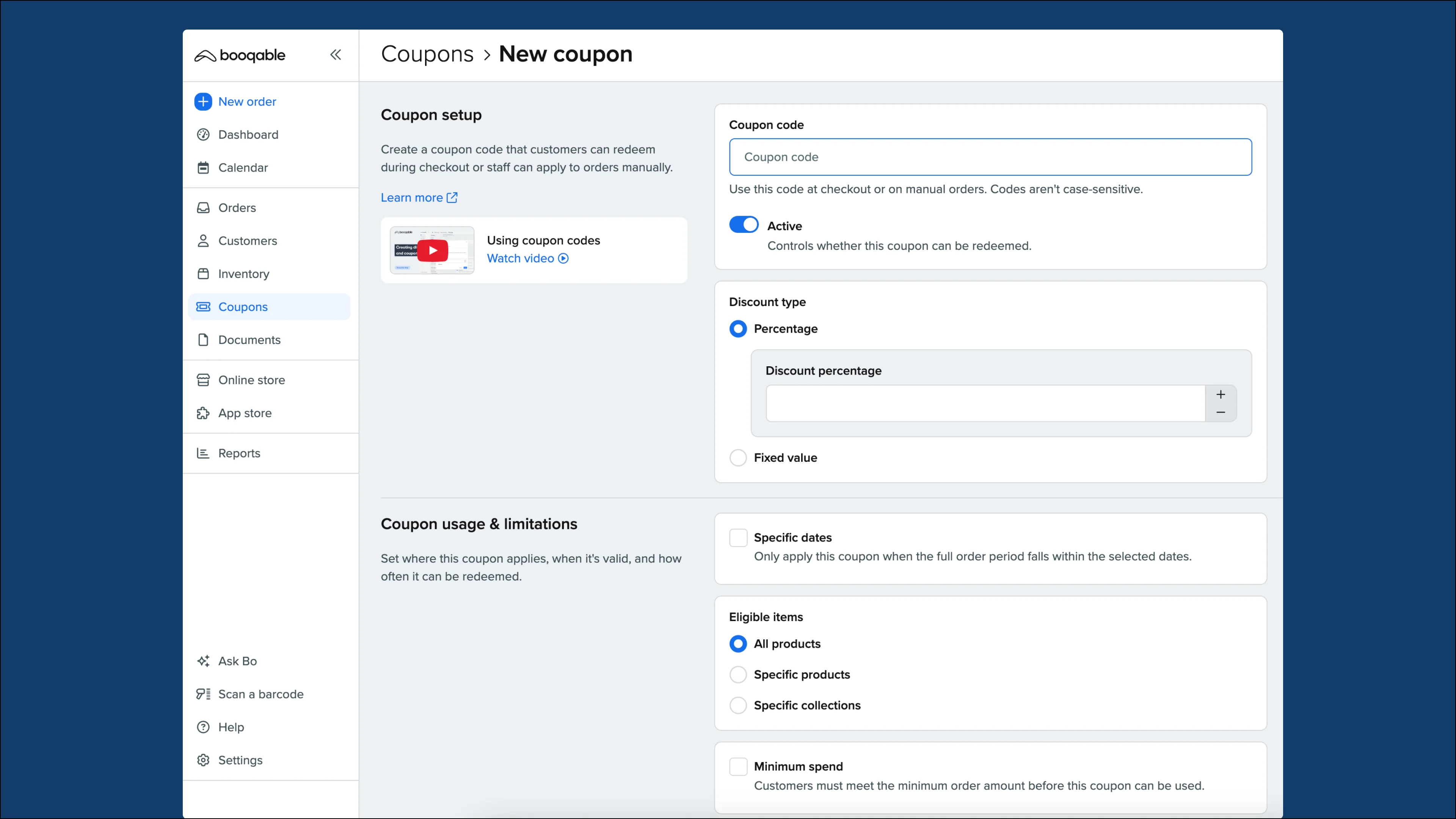
Key features
These new advanced features include:
-
Discounting specific products or collections
-
Setting up dates for when the coupon code is valid
-
Limiting the number of uses by orders or customers
-
Configuring a minimum order value for the coupon to be applicable
-
A brand new coupon report in the Reports section
How to access advanced coupon codes
Advanced coupon code options are available in the Grow or Scale plan. Go to Settings > Account & billing to see if you are subscribed to the right plan if you would like to start using this feature.
If you have confirmed that you have access with your plan, follow these steps:
-
Go to the Coupons section
-
Click Add coupon to create a new coupon
-
Ensure your coupon settings are all correct and Save when you’re finished.
-
See a list overview of your coupons in the Coupons section.
-
Check out the Reports > Coupon reports to see how your coupon codes perform.
More information
For more detailed instructions, watch our YouTube video on How to use advanced coupon code settings in Booqable to understand how to set them up.
Also, you can read our Help Center article for a guide on How to create and manage advanced coupon codes.
Other fixes and improvements:
-
Import/export button now has more prominence in the backend by sticking to the bottom of the left sidebar.
-
In some cases, delivery rate was recalculated on existing orders when the rates were changed in the Deliveries app. This has been fixed and rates for existing orders will stay the same.