November 24, 2026
What's New: More availability colors and single day rentals!
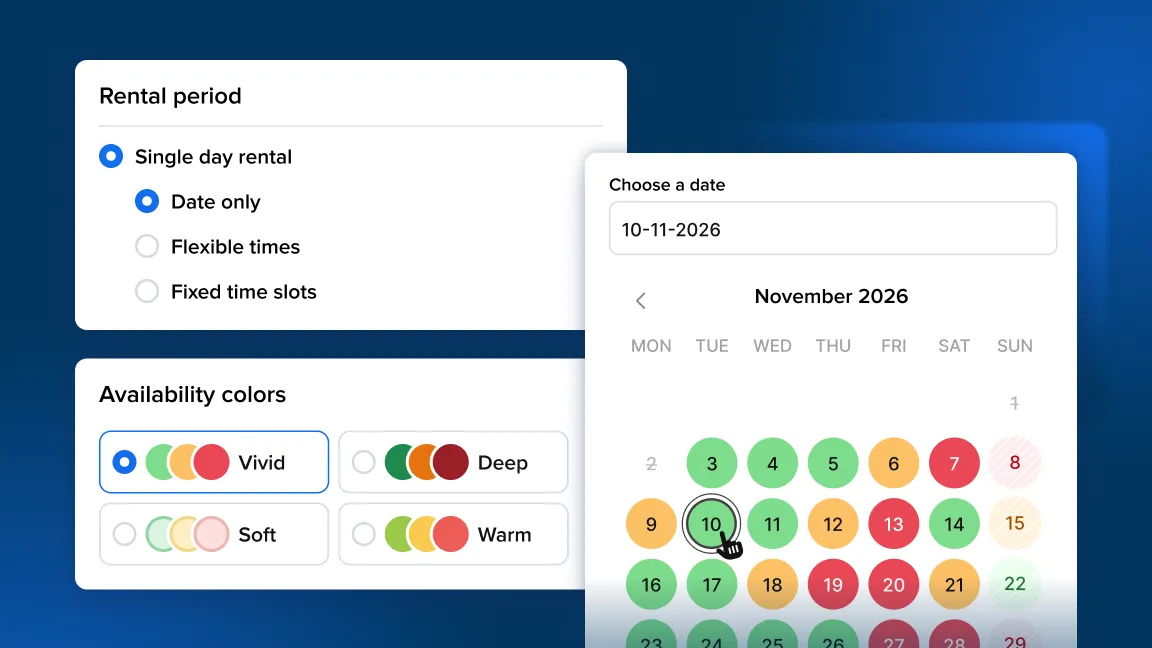
We’ve added more rental period options including single day rental periods, new availability color palettes, and an option to pre-fill times in your online store and on manual orders.
Watch this video for information on these updates:
Availability colors
We’ve expanded the availability color options, giving you more flexibility to match your branding and customize how availability is displayed.
-
A new Colorful palette displays availability in a style similar to the previous period picker.
-
The availability colors setting has moved to Settings > Back office > Rental period > Availability colors.
-
Your selected color palette now applies to both the back office and the online store.
Single day rentals
If your rental business offers rentals for one day at a time, you now have the option to set up single day rentals.
-
Go to Settings > Rental period.
-
Select the Single day rental option.
-
Choose from Date only, Flexible times, or Fixed time slots.
Pre-fill the times
To save time filling out rental periods, you can set up default order times that can be automatically selected.
-
Go to Settings > Rental period > Default order times.
-
Enabled Pre-fill the times and choose if this will apply only to manual orders or to orders placed in your online store.
To learn more about rental period settings, read our Help Center article.