




March 24, 2026
What's New: Return on Investment (ROI) insights added to reports!
Discover exactly what products are driving profit for your rental business with new Return on Investment (ROI) insights which have been added to the Product performance report.
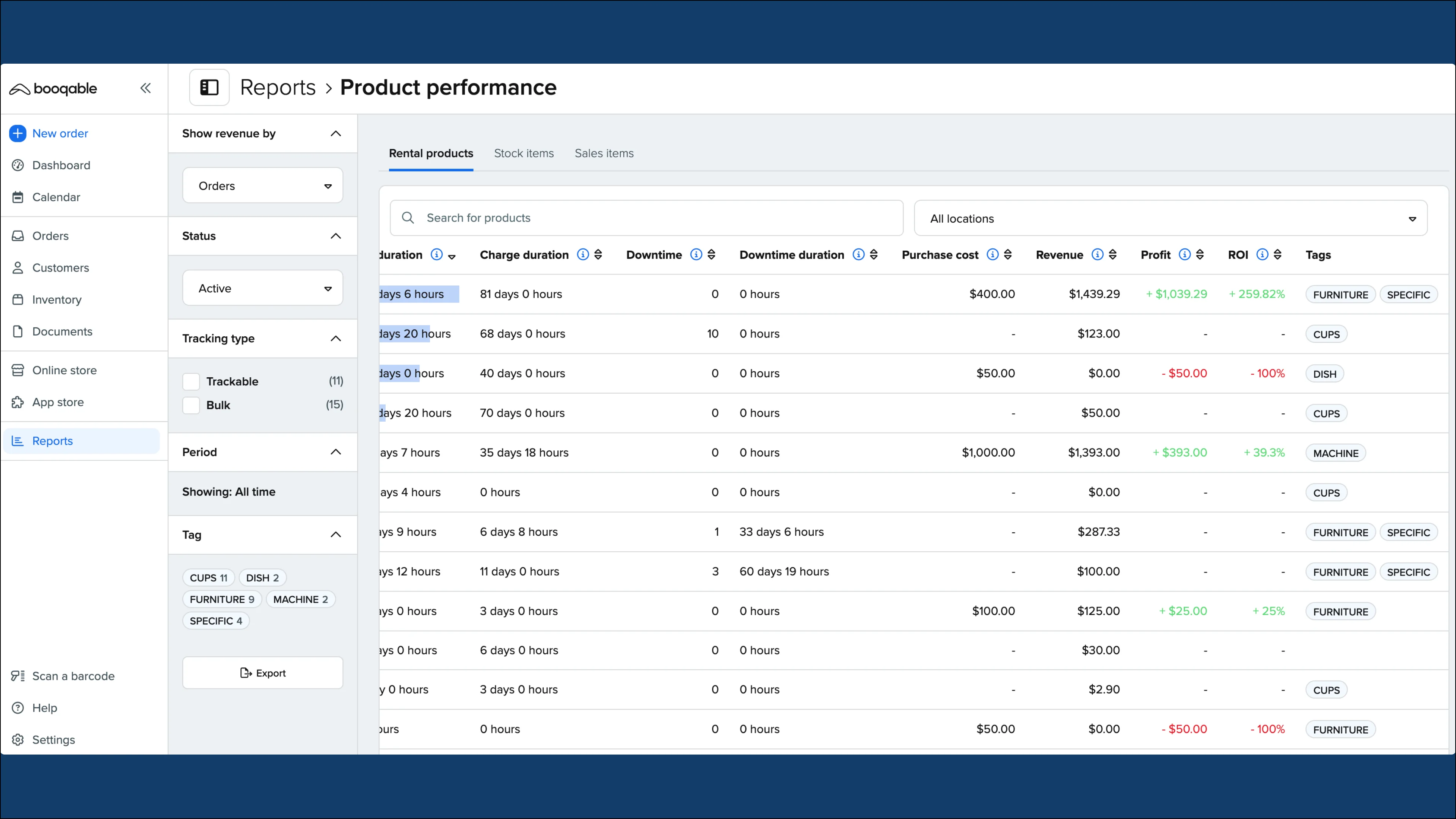
With clear ROI data, you can optimize pricing strategies, make smarter purchasing decisions, and grow your rental business with confidence!
Key features:
-
View revenue, profit, and return on investment data for all of your rental products and stock items
-
Set up purchase cost for your products
-
Compare products return on investment in a given period or compare multiple periods to identify trends
-
Be able to use the data to make informed purchasing decisions
How to access Return on Investment insights
ROI data is available as part of the Grow plan or higher. To ensure that you are subscribed to the latest pricing plan:
-
Go to Settings > Account and billing > Subscription.
-
If you’re not currently subscribed to the correct plan, click on Change plan and select the Grow plan or higher to gain access to this feature.
Note: It is not necessary to upgrade your plan unless you would like to access inventory usage and revenue reports and other features.
To find ROI insights:
-
Go to Reports from the left sidebar of your Booqable account
-
Under Product performance, click Run report
-
Look on either the Rental products or Stock items tabs
-
Scroll to the right of the report to find Purchase cost, Revenue, Profit, and ROI data
-
Use the left sidebar to filter by Show revenue by, Status, Tracking type, Period, and Tag
-
Click the Export button at the bottom of the sidebar to save a CSV file with this information in a spreadsheet
For more detailed information on ROI data, read the Return on investment report article from our Help center.