Running an equipment rental business means constantly balancing bookings, returns, product checks, and repair needs while trying to keep availability accurate.
When maintenance or repairs are tracked in spreadsheets, notes, or staff conversations, it becomes difficult to know which equipment is actually ready for rent. The last thing your rental business needs are customers booking an item that needs urgent maintenance or repair.
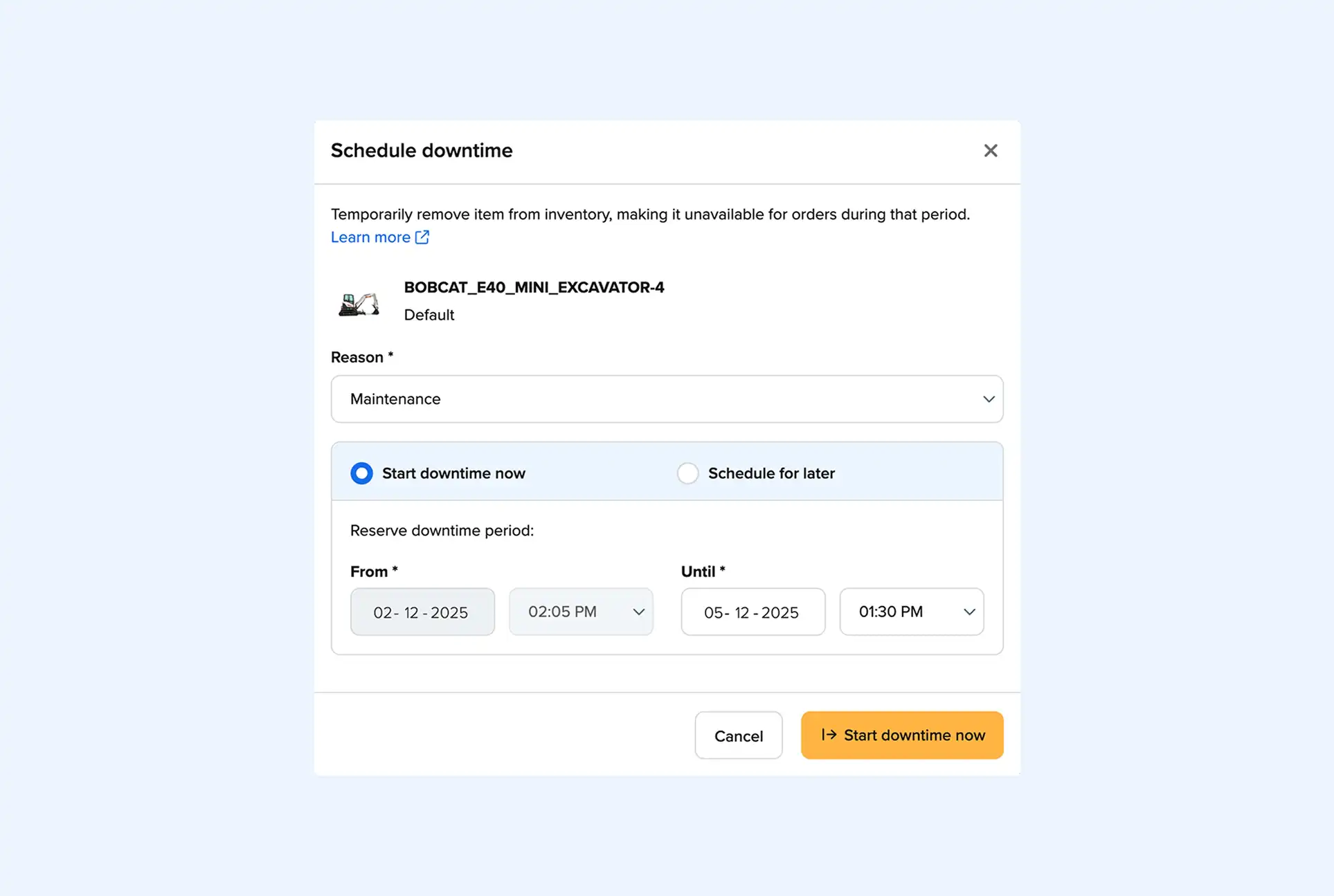
Booqable’s new Schedule Downtime feature gives you a reliable way to mark items unavailable in your inventory for maintenance or repair.
Each downtime entry blocks the correct stock item for a chosen period so your availability stays correct without workarounds or manual edits. Schedule downtime creates clarity for your team and removes uncertainty from your day.
Why tracking downtime matters for rental businesses
Not having a clear method to schedule product maintenance or repairs often results in messy communication and incorrect availability. A product may appear ready even though it still needs repair, or a missing item may go unnoticed until a customer is already at your counter asking for it.
Instead of updating spreadsheets or relying on memory, you can now use Booqable’s Schedule Downtime feature to block a product instantly, and keep your system aligned with its real condition.
If you run a bike rental company, for example, you can record that a mountain bike needs brake repair as soon as it is returned. You can then schedule downtime, so your team cannot promises it to the next renter.
What this achieves: • Clear communication across all staff members • No accidental bookings of damaged or unavailable items • Better planning for service time and repair windows • Less pressure on staff to remember what is in service • A more accurate view of what is truly ready to rent
By solving the uncertainty around maintenance, your team gains confidence and customers receive a smoother experience.
How it works
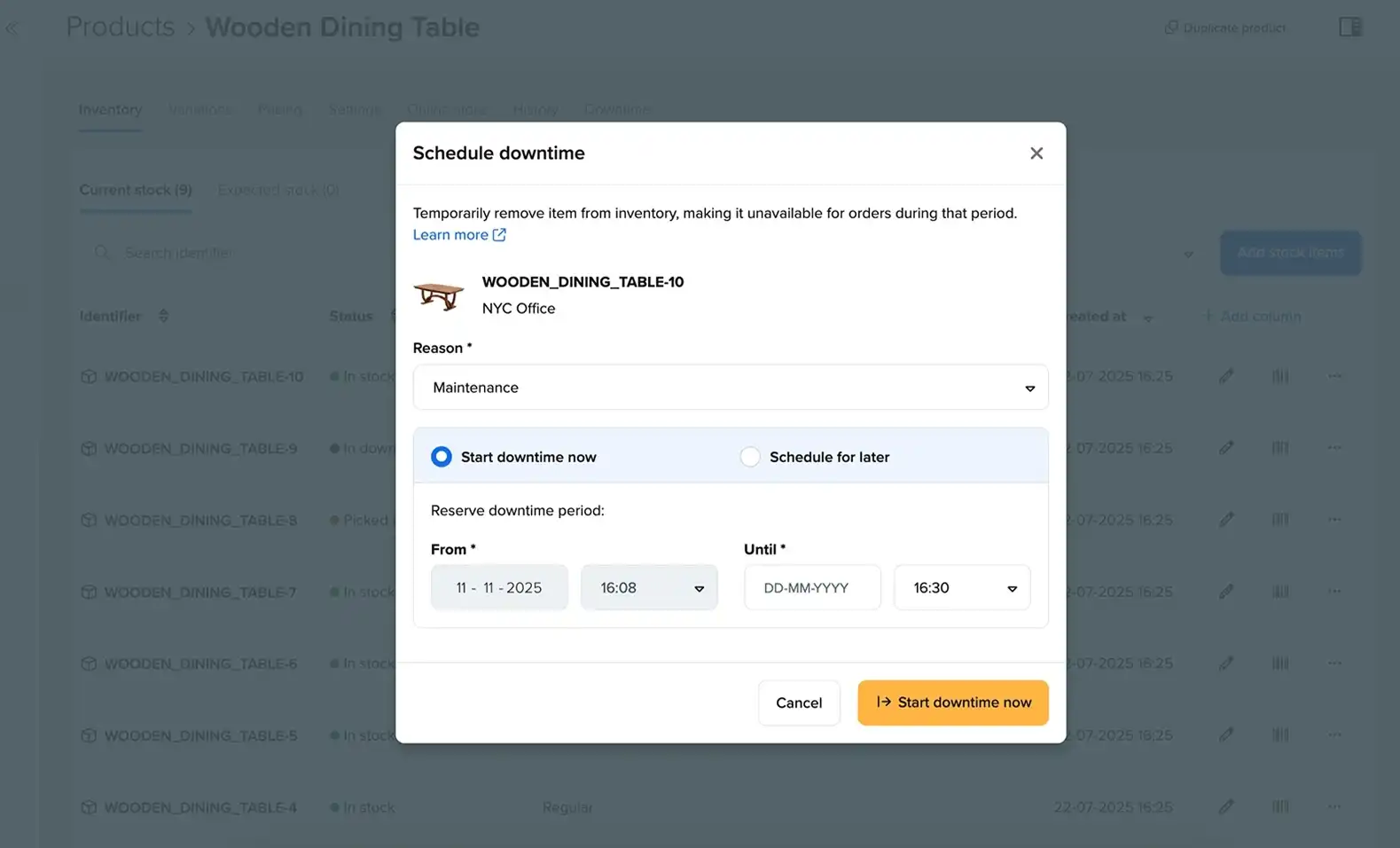
Schedule Downtime allows you to mark a product as unavailable for a defined period. You can choose a downtime reason such as maintenance, repair, or missing. You can also select dates and times, schedule downtime for multiple stock items at once when working with bulk tracked products, and choose whether downtime begins immediately or later.
Downtime entries appear in key locations across Booqable. Each product has a Downtime tab for viewing or adjusting its downtime, and your Inventory includes a central Downtime panel showing all active and upcoming records. Your dashboard also highlights upcoming downtime so your team can prepare before it begins.
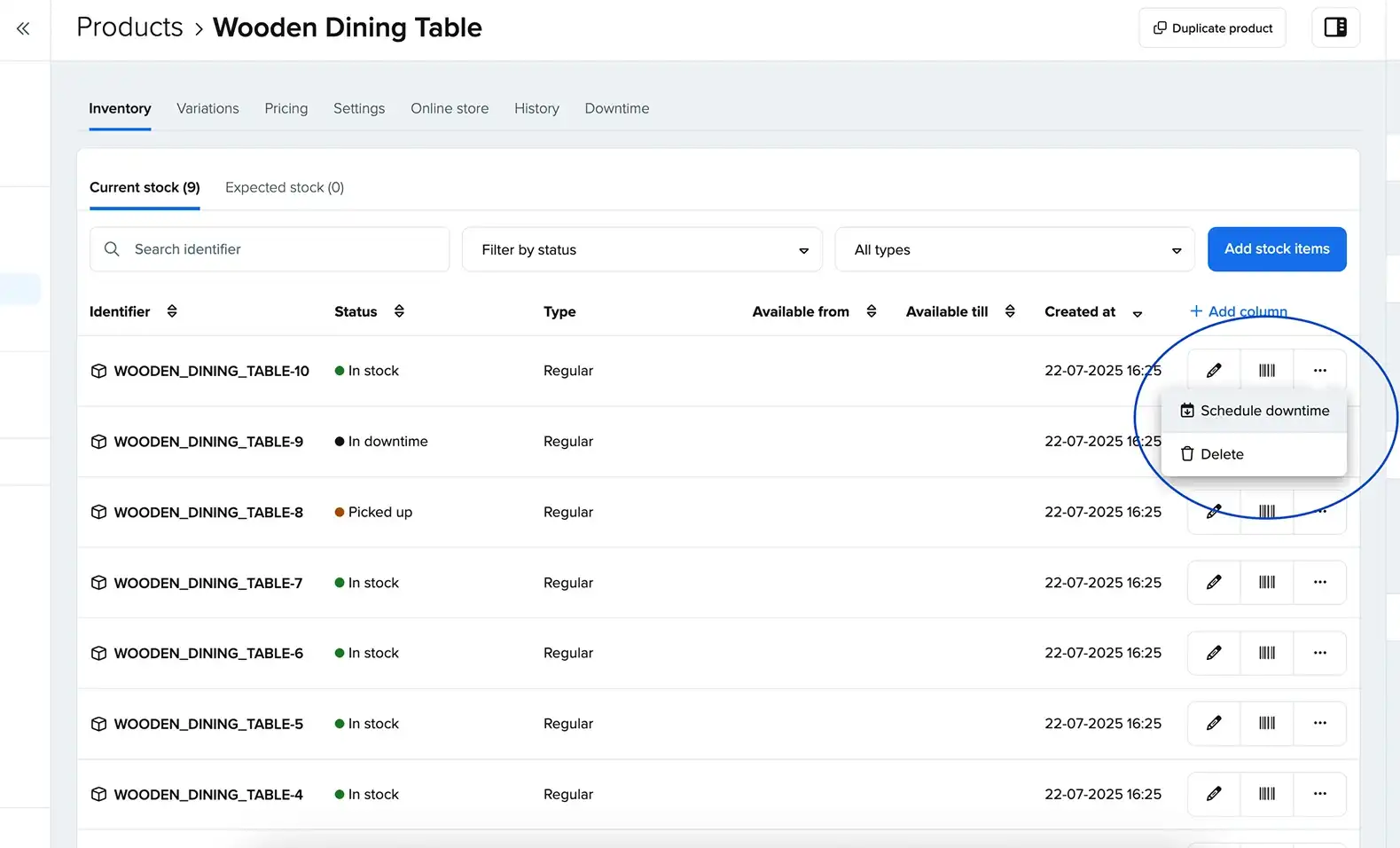
You can schedule downtime directly from your Inventory page. Once it is created, availability updates across all parts of your system, including your website. If you run a trailer rental company, you can schedule downtime for a trailer that needs a tire replacement the moment it comes in. You select the repair option, choose the expected repair window, and the trailer will show as unavailable in searches and availability calendars for the duration of that downtime.
What this achieves: • Straightforward handling of equipment rental downtime • Removal of manual stock edits or temporary fixes • A shared source of truth for what is being worked on • Accurate availability both online and in store • The ability to plan maintenance ahead of peak periods
This creates a more dependable link between your physical inventory and what your customers see.
Manage downtime with confidence
The new Schedule Downtime feature gives you dependable tools for managing product maintenance and repairs without the guesswork of manual notes or temporary fixes. It protects your availability, unifies team communication, and keeps your equipment rental downtime aligned with real conditions.
When used consistently, it helps you optimize product readiness and maintain a smoother rental cycle. By integrating downtime into your daily workflow, you create a more predictable environment for both your staff and customers. Over time, this helps you optimize accuracy, reduce stress, and maintain the quality and reliability of your rental inventory.